In this guide
A traceable payroll change connects the authorized request to the entered value and then to the final output. If one of those links is missing, a correct-looking number may still be hard to explain. The control objective is to make the decision and its execution inspectable without spreading personal information across email threads.
The DOL recordkeeping guidance identifies payroll and wage-computation records as distinct record categories. Our proposed change trail is an operational design that helps preserve context; it does not set a universal retention rule or determine legal entitlement.
Separate three dates
A request date says when someone asked. An effective date says when the approved change is intended to apply. A processing date says when it was entered or run. These can differ for legitimate reasons. If a record has only one unlabeled date, a reviewer may assume the wrong event.
Also identify the affected pay period or periods, the type of change and the authorizing source. A free-text note saying “raise approved” is weaker than a link to the actual authorization with the amount, unit, effective date and relevant scope.
A fictional rate change through three versions
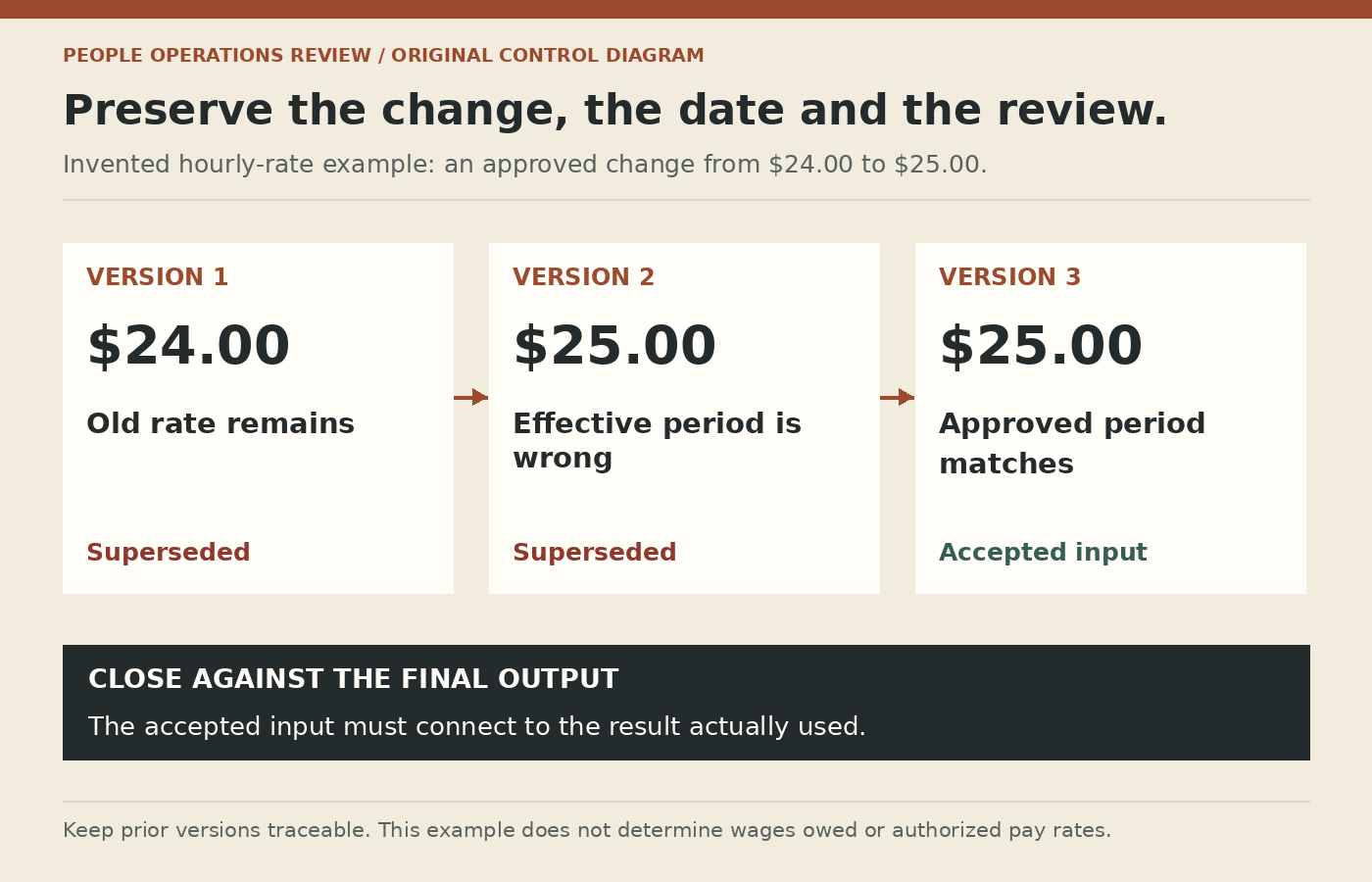
Suppose an authorized request changes an hourly rate from $24.00 to $25.00 effective at the start of a specified pay period. This is an invented control example, not a wage recommendation. In version 1 of the input, the old rate remains. In version 2, the new rate is entered but the effective date is one period late. Version 3 corrects both.
All three versions matter to the audit trail. Keep version 1 and 2 as superseded records under your approved retention process, while clearly identifying version 3 as the accepted input. Do not make an unrecorded edit to a screenshot and present it as the original approval.
Review the difference, with enough context
| Element | What to retain | Reviewer question |
|---|---|---|
| Authority | Approved source in the protected system | Was the requester authorized for this change? |
| Intent | Old/new value, unit and effective period | Is this what the approval actually says? |
| Execution | Operator, timestamp and input version | Was the approved change entered accurately? |
| Output | Affected run and resulting calculation | Did the intended period and population receive it? |
| Closure | Reviewer and unresolved exception status | Is the result accepted or still pending? |
A delta review should show what changed and what could be affected by the change. A revised rate might affect more than a single display field. Ask the appropriate payroll specialist which outputs need review rather than assuming that matching the new rate alone proves every calculation is correct.
Keep emergency changes controlled
Urgency may justify a shorter route that is already authorized; it should not erase authority. Define who can approve a late change, how the provider is told which version to use and what post-run checks are required. If ordinary separation between entry and review cannot be maintained, document the alternative review and its limitations.
Do not create a universal rule that one person can never hold two roles. Small organizations have real capacity constraints. The useful question is what independent evidence and review can reasonably detect an error or unauthorized change in the actual arrangement.
Watch for duplicate intent
The same request may arrive through a manager email and an HR ticket. Assign a unique internal change reference or another reliable reconciliation key. Before processing, check whether both records represent one instruction or two distinct events. A duplicate submission can produce a duplicate adjustment even when each input is individually authorized.
Likewise, distinguish cancellation from correction. If the original request is withdrawn, record the authority to withdraw it and verify that the pending change is not still queued elsewhere. A canceled ticket is not proof that a previously transmitted payroll input was canceled.
Close against the final artifact
The last check belongs against the final output actually used, not only a preview. Record any difference between the approved preview and the completed run. If a correction remains open, give it a named owner and a next decision rather than marking the whole case complete.
Use the cutoff and exception calendar to know when a change alters the approval sequence. Include selected change references in the first-payroll pack or normal run review, while keeping detailed personal values inside authorized systems.